
Photo to Music Converter
Photo to music turns a photo you actually took — travel, phone snaps, daylight memories — into an original song that follows the light and place in the frame.
- Upload photo
- Set voice & style (optional)
- Generate
Drop image here or click to browse
PNG, JPG, WebP (max. 10MB)
A written soundtrack prompt stays on Text to Music. This page starts from the photo.
Examples

Daylight surf photo
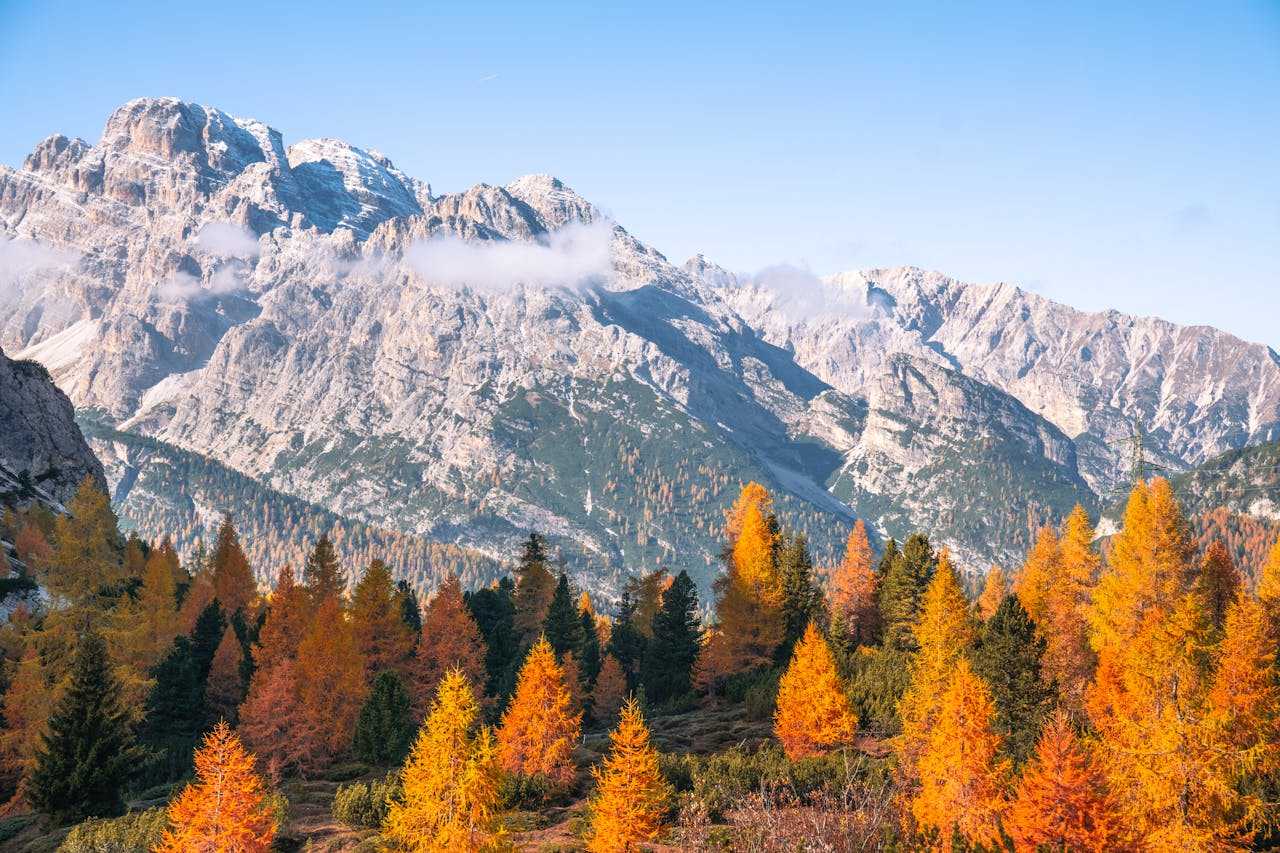
Alpine photo in autumn light

Courtyard photo with a blue door

Still-water photo under open sky
Why choose Photo to Music
A shoreline photo on a mute timeline
The shot stays in the camera roll until you open a CapCut-style editor and drop a stock beat under it
That daylight frame starts the song, and the same photo is what you see while it plays
The snapshot is only the thumbnail
In the phone edit the travel photo is cover art. The music came from a library and would fit any beach
The track comes from glare, shade, and place in the exposure, not from a generic vacation loop
Hunting a travel soundtrack
You scrub royalty-free packs on your phone for something summery that still does not know this road or this ridge
Upload the photo you took. There is no second search for a soundtrack
Cover and audio never meet
A CapCut-style export keeps your picture on screen while an unrelated BGM runs through the whole clip
What you upload is both the brief and the player cover
The edit is done, the beat is wrong
The mobile timeline is finished before you notice the beat has nothing to do with that afternoon
Preview with the credits you have and keep the MP3 if it sounds like that day
| The old way | Photo to Music | |
|---|---|---|
| A shoreline photo on a mute timeline | The shot stays in the camera roll until you open a CapCut-style editor and drop a stock beat under it | That daylight frame starts the song, and the same photo is what you see while it plays |
| The snapshot is only the thumbnail | In the phone edit the travel photo is cover art. The music came from a library and would fit any beach | The track comes from glare, shade, and place in the exposure, not from a generic vacation loop |
| Hunting a travel soundtrack | You scrub royalty-free packs on your phone for something summery that still does not know this road or this ridge | Upload the photo you took. There is no second search for a soundtrack |
| Cover and audio never meet | A CapCut-style export keeps your picture on screen while an unrelated BGM runs through the whole clip | What you upload is both the brief and the player cover |
| The edit is done, the beat is wrong | The mobile timeline is finished before you notice the beat has nothing to do with that afternoon | Preview with the credits you have and keep the MP3 if it sounds like that day |
How photo to music works
Start from a shot you took, instead of a stock beat.
Pick a real shot
Choose a photo from your camera roll: a place, a person, or an object in real light. Skip app screenshots if the screen is the whole frame.
Crop what the lens caught
If the subject is a speck or the sky is blown out, crop before you generate. The reading follows whatever fills the frame.
Skip the soundtrack search
Voice, Style, and Language are optional. Leave them unset when the exposure should replace the BGM you would have dropped into a phone editor.
Hear it on that photo
The player uses your upload as the cover. Keep the MP3 with your credits when it sounds like that day.
Camera photos that already hold a place
These are photographs from a real roll. You need the right to upload the people and places in them.
A trip on the phone
Beach, road, or ridge you photographed already has weather and light. Use that file when you don’t want to describe the day in a prompt.
A room or object you shot
Desk, doorway, or table up close is enough. The model reads real surfaces, not a story typed beside them.
People in daylight
A snapshot of people you have the right to use can set the energy. No musician needs to be in the frame.
Anniversary or keepsake stills
One clear photo from a celebration or quiet morning can brief a song for the same memory.
What is photo to music?
Photo to music is the camera path into Image to Music: upload one still you actually photographed, and the song follows the light and place in that frame. Preview it and download MP3 with your credits. Voice, Style, and Language are optional. This is not a video editor and does not attach a default MV.
How photo to music follows a real exposure
A noon street and a blue-hour shoreline should not be scored the same way. The track reads the exposure you actually took: glare, shade, weather, and the colors in the frame. A typed mood often misses that daylight. Put the place inside the photo, then generate. The homepage uses this same camera upload.
Whose photo you may upload
Use a photo you have the right to upload, including the people in it. This page does not grant rights you do not already have. The song follows the frame you are allowed to use, not a library track laid under someone else’s picture. If the trip clip usually ends in a phone editor, this is the moment you would have scrolled a music library. Glare on the water, shade on the road, and the people you may show are the direction. You still judge the result with your ears.
Photo converter questions
Short answers about the upload on this page.
Still have questions? Contact us
Convert the next photo
The upload is above. Start from a shot you took instead of hunting a soundtrack.